
Once you share an interest page, open it from the "Lead" page to follow responses. For an overview, see Soft Commits: gauge investor interest before you launch an SPV.
Reading your responses
The top of the page shows the interest indicated against your target, how many people responded, and your deadline. Below it are four tabs:
- "Outreach": everyone you invited, as a list or a board, with their status, when they viewed the page and their amount.
- "Analytics": how many people were invited, viewed, responded and are interested, plus the reasons people gave for declining.
- "Interest details": what your page says, with "Edit" links and a "Preview" of the investor's view.
- "Settings": reply options, timing, your notifications, the link, and archiving.
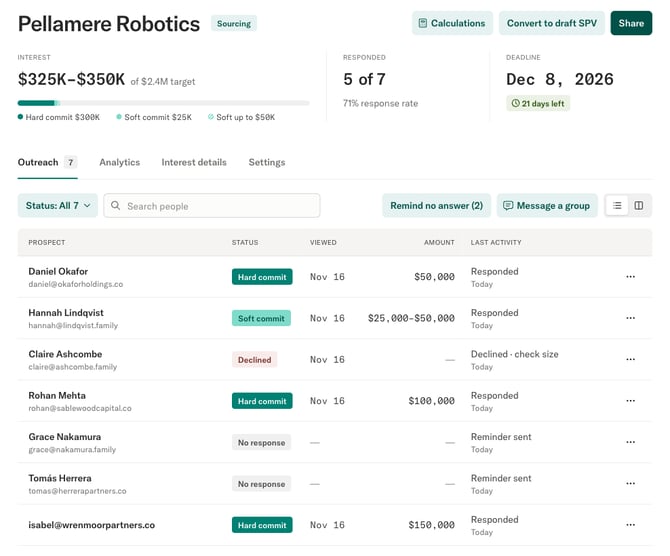
Each person has one of these statuses:
- "No response": they have not answered yet.
- "Hard commit": they answered "Interested" with a single amount.
- "Soft commit": they answered "Interested" with a range, or without an amount.
- "Declined": they answered "Decline".
Click a person to see their answer, their history with you and their activity.
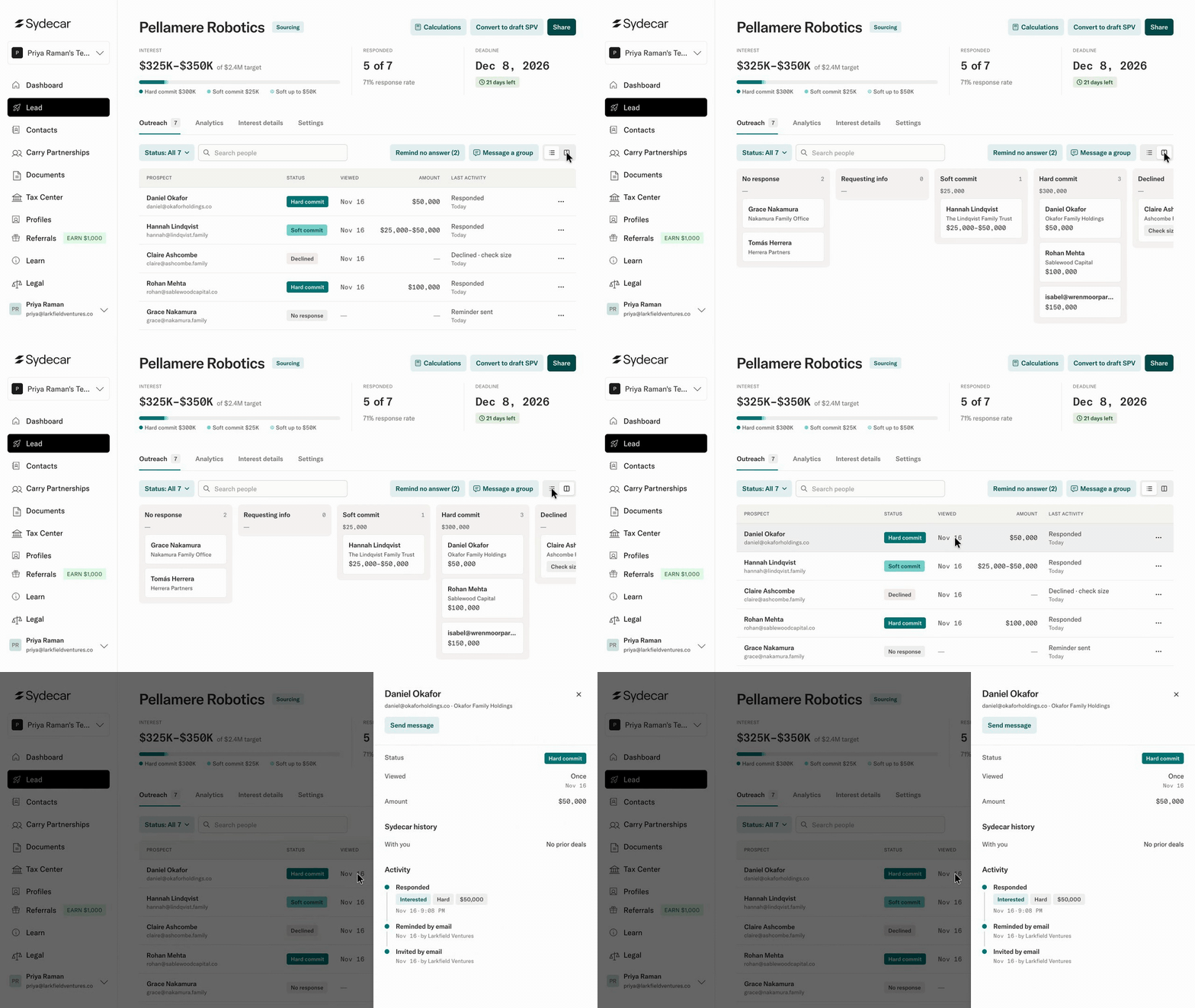
Following up
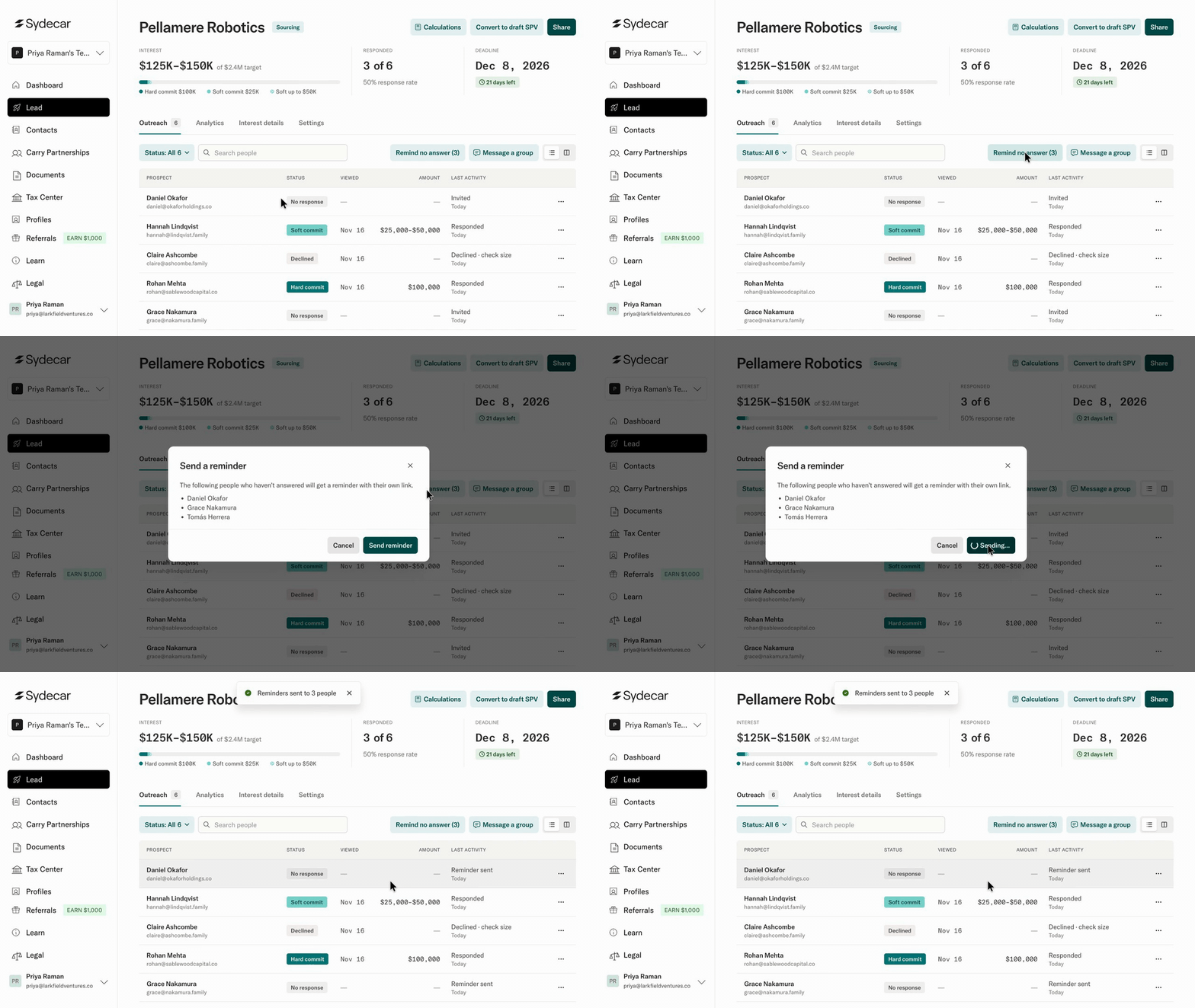
How do I remind people who have not answered?
On "Outreach", click "Remind no answer". Everyone who has not answered receives a reminder with their own link. To remind one person, click their row and then "Send reminder".
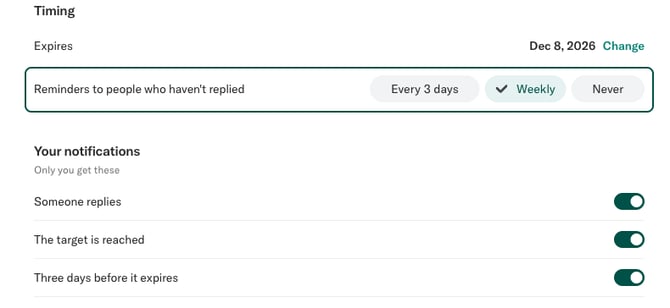
Can reminders go out automatically?
Yes. Under "Settings" >> "Timing", set "Reminders to people who haven't replied" to "Every 3 days" or "Weekly". Choose "Never" to turn them off.
How do I message investors?
On "Outreach", click "Message a group", choose who receives it, and write your subject and message. Each person receives their own email. To message one person, click their row and then "Send message".
How do I know when someone responds?
Under "Settings" >> "Your notifications", choose to be emailed when someone replies, when the target is reached, and three days before the deadline. Only you receive these.
Answers that need review
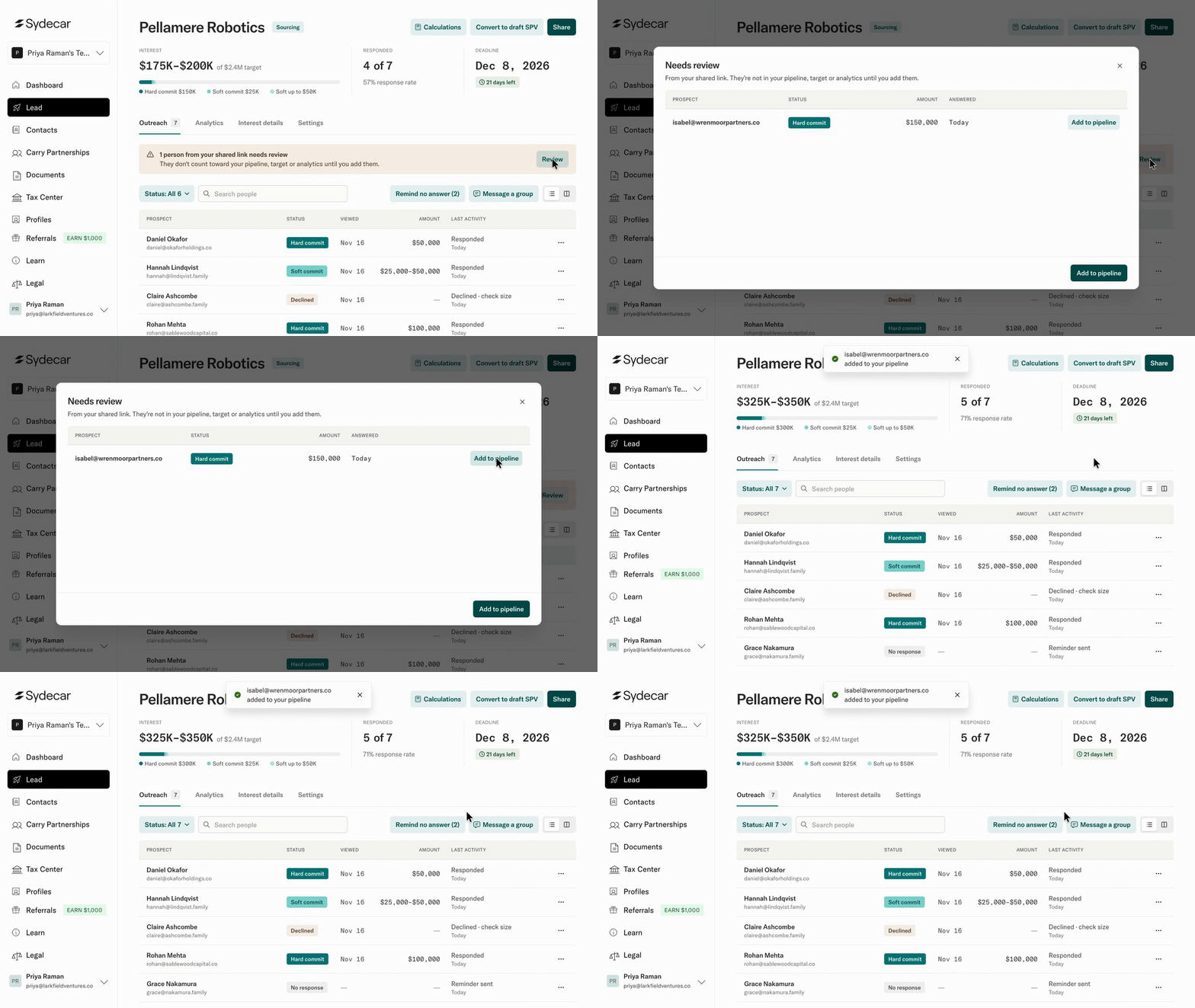
Why does it say people from my shared link need review?
You turned on review for answers that come through the copied link. Those answers wait in "Needs review" and do not count toward your pipeline, target or analytics until you add them. Click "Review", then "Add to pipeline" for each person you want to count. People you invited from Sydecar count right away.
Can an investor answer below my minimum check?
No. An amount, or the low end of a range, must meet your minimum check.
Deadlines and closing
What happens when the deadline passes?
Investors can still read the page, but they can no longer answer or change an answer. You can no longer share the page, send reminders or send messages from it.
How do I stop collecting answers?
In "Settings", turn off "Accept responses from the link" to make the page unavailable to anyone who opens it. To close an interest for good, archive it from "Settings". Archiving cannot be undone, and the link stops working.
Still have questions? Contact our sales team at sales@sydecar.io.